Welcome to the Glitchify Wiki
Ah yes, the sacred land of:
- fixes,
- weird bugs,
- cursed Windows behavior,
- "why is my controller moonwalking?" moments,
- and highly questionable user decisions.
If something exploded, vanished, crashed, froze, softlocked, corrupted itself, or started speaking in DLL errors at 3AM — you'll probably find something useful here.
Probably.
What this wiki actually is
This wiki exists because game troubleshooting on the internet is somehow still stuck in 2009.
You search:
"Game crashes on startup"
…and end up finding:
- a dead forum thread from 2014,
- a YouTube tutorial filmed inside a microwave,
- or a website demanding you download
FixEverythingProCleanerDriverBooster.exe.
No thanks.
The Glitchify Wiki is meant to be:
- simple,
- readable,
- practical,
- and written like an actual human being touched the keyboard.
Not:
"Dear valued user, kindly proceed to step 17 of registry modification."
Absolutely not.
What you'll find here
Troubleshooting
Stuff like:
- crashes on startup
- missing DLLs
- black screens
- controller weirdness
- save issues
- audio bugs
- launcher nonsense
- install problems
- "why does this game hate my GPU specifically?"
The classics.
HV stuff explained normally
Some people see terms like:
- HV
- selective download
- magnet
- repack
- crack
- WebDL
- portable
- ISO
…and instantly feel like they accidentally entered the dark web.
Relax.
This wiki explains things without sounding like:
- a cybersecurity textbook,
- an angry forum admin,
- or a Linux user trying to prove a point.
Install notes & warnings
Including important information such as:
- "don't install this on a dying hard drive"
- "your antivirus is being dramatic again"
- "no, 4GB RAM in 2026 is not bravery"
- "yes, Windows Defender sometimes eats files for breakfast"
And occasionally:
"Please stop clicking random fake download buttons on other sites."
Because apparently that still needs to be said.
What you WON'T find here
Ads pretending to be download buttons
You know the ones:
- giant green buttons,
- "START NOW!!!"
- redirects to casino websites,
- sudden "Congratulations iPhone User" messages.
Yeah. No.
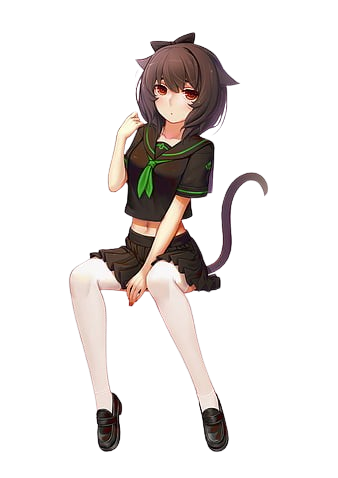
If the mascot girl on the site is dancing, she's just vibing. She is not sponsored. She has no financial relationship with popup ads.
40 popups before a download
You should not need:
- adblock,
- martial arts training,
- and emotional resilience
just to download a game.
We hate ad-farm sites too.
"Disable antivirus and pray"
Some sites treat this like:
Step 1 of enlightenment.
No.
Sometimes antivirus software causes issues. Sometimes it false-flags files. Sometimes Windows Defender gets a little too excited.
But blindly disabling everything and hoping for divine intervention is not a real troubleshooting strategy.
How to use the wiki properly
Search the symptom FIRST
Don't search:
"GTA V broken"
Search:
- "CRC error"
- "missing DLL"
- "controller not detected"
- "black screen after intro"
- "installer stuck at 99%"
Symptoms are universal. Games are just creative ways to experience suffering.
Read before panic-posting
If a page says:
"Cooldown active"
that does NOT mean:
- the site died,
- your IP got cursed,
- or the government hacked the servers.
Please breathe.
Include actual information if asking for help
Good support request:
- specs
- Windows version
- what you tried
- screenshots/errors
- where exactly things failed
Bad support request:
"game no work fix plz"
We are powerful. Not psychic.
A quick note about preservation
A lot of games slowly disappear over time:
- dead links,
- abandoned uploads,
- forgotten releases,
- broken mirrors,
- vanished patches.
Part of Glitchify exists because old games deserve better than rotting away in dead forum posts and broken Mega links.
Some games are trending. Some games are forgotten. Both matter.
Final advice
If something breaks:
- don't panic,
- don't instantly reinstall Windows,
- and PLEASE don't download "Ultra DLL Fixer 2026".
There's usually a simpler explanation.
Usually.
Welcome to Glitchify. Now go break something responsibly.